Why We’re Talking About Backups Today
Imagine walking into your office one morning, turning on your computer, and discovering that all your files—client records, invoices, project data—are gone. No backups, no recovery, just an empty screen. How long would it take for your business to recover? Would it recover at all?
Today, in observance of World Backup Day (March 31st), we’re talking about the 3-2-1 Backup Rule, a simple and highly effective method for small businesses to protect their critical data from cyberattacks, hardware failures, and natural disasters.
If you’re a small business owner in South Arkansas, this guide is for you. Let’s break down why backups matter, how the 3-2-1 rule works, and how you can implement it in your business.
Why Backups Matter for Small Businesses
The Reality of Data Loss
Small businesses are often more vulnerable to data loss than larger companies. Without dedicated IT staff or enterprise-level infrastructure, recovering from a major data failure can be time-consuming and costly.
Common Causes of Data Loss:
- Cyberattacks – Ransomware, phishing, and malware can encrypt or steal your files.
- Hardware Failure – Hard drives, servers, and computers eventually fail.
- Natural Disasters – Storms, tornadoes, and power surges (which are common in South Arkansas) can destroy equipment.
- Human Error – Employees accidentally delete files, overwrite important documents, or misplace USB drives.
The Cost of Data Loss
- 60% of small businesses that suffer major data loss close within six months.
- Lost financial records, client information, and proprietary data can mean permanent setbacks.
- Downtime due to data loss leads to lost revenue, missed deadlines, and loss of customer trust.
The solution? A strong backup strategy built around the 3-2-1 rule.
What is the 3-2-1 Backup Rule?
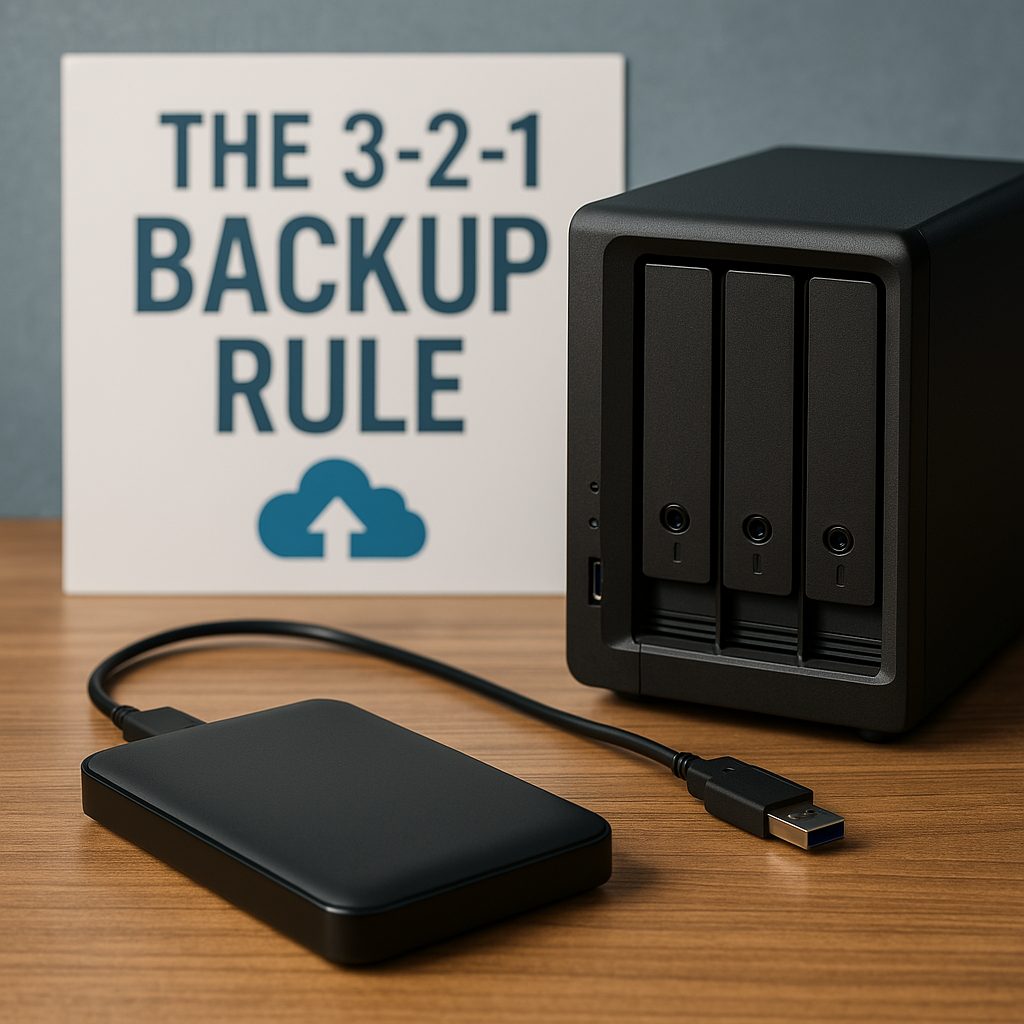
The 3-2-1 backup strategy ensures that your data is always protected, no matter what happens. Here’s how it works:
- 3 Copies of Your Data – One primary copy and at least two backups.
- 2 Different Storage Types – Store backups on two separate media (e.g., hard drive and cloud storage).
- 1 Offsite Copy – Keep one backup in a remote location, away from your office.
This method provides redundancy and ensures that your data remains accessible even if disaster strikes.
Implementing the 3-2-1 Backup Rule in Your Business
Step 1: Local Backup (On-Site Storage Solutions)
Your first backup should be on-premises, meaning a physical copy stored in your office or business location. This allows for quick recovery if you accidentally delete a file or experience a minor system crash.
Recommended Local Backup Options:
- External Hard Drives – A simple and cost-effective option. Use a Western Digital My Book or WD Elements drive to back up important files.
- Network-Attached Storage (NAS) – If you have multiple users, consider a Synology NAS system. This allows for automated, centralized backups that can be accessed by multiple devices on your network.
- Server-Based Backup – If your business uses a dedicated server, ensure it has redundant drives (RAID storage) and automated backups.
Tip: Schedule automatic daily backups so you don’t have to remember to do it manually.
Step 2: Offsite Backup (Cloud & Remote Options)
A local backup isn’t enough—if a fire, flood, or theft occurs, you could lose everything. That’s why you need an offsite backup stored in the cloud or a secure remote location.
Recommended Cloud Backup Solutions:
- AWS S3 – A highly scalable and reliable cloud storage option with flexible pricing for small businesses.
- Backblaze – Affordable and reliable cloud backup for businesses.
- Enveloc – A business-class cloud backup service offering secure, encrypted offsite storage.
For businesses using Microsoft tools, OneDrive for Business is a great option to store copies of critical documents in the cloud. Google Drive is another alternative for cloud-based file storage.
Tip: Encrypt your cloud backups to prevent unauthorized access.
Step 3: Automate Your Backups
Manual backups are risky—people forget, and mistakes happen. The best solution is automation.
How to Automate Backups:
- Set up scheduled daily backups on your Western Digital external drive or Synology NAS.
- Configure automatic cloud backups to run in the background.
- Use software like Synology Hyper Backup, Synology Active Backup for Business or Syncovery to manage backups effortlessly.
Tip: Store multiple backup versions (not just the latest file) in case you need to recover an older version of a document.
Testing Your Backups – Don’t Wait for Disaster
A backup is only useful if it actually works when you need it. Many businesses only find out their backups are corrupted when it’s too late.
How to Test Your Backups:
- Monthly Restore Tests – Try recovering a few files to ensure they open correctly.
- Quarterly Disaster Recovery Drills – Simulate a data loss scenario and test your recovery plan.
- Check Backup Logs – Ensure backups are completed successfully without errors.
💡 Tip: Assign a backup manager in your business to monitor and verify backups regularly.
Final Thoughts: Backup Today, Secure Your Business Tomorrow
World Backup Day is more than just a reminder—it’s a call to action. Small businesses that invest in a structured backup strategy can avoid financial loss, downtime, and permanent data loss.
Action Steps:
- Set up automated backups following the 3-2-1 rule.
- Use Western Digital external drives or Synology NAS for local storage.
- Secure an offsite backup with AWS, Backblaze, or Enveloc.
- Test your backups regularly to ensure they work.
Take 15 minutes today to review your backup strategy. It could save your business one day!
Bonus: Free Small Business Backup Checklist
To make it even easier, we’ve put together a Backup Checklist for Small Businesses. This free downloadable resource will help you assess your current backup setup and make improvements.